Biz Tips: 3 Tips To Start Hosting Amazing Webinars That Sell
GROWTH:
3 Tips To Start Hosting Amazing Webinars That Sell
Webinars are an awesome marketing tool for a multitude of reasons. One of them being direct interaction with your webinar audience.
Unlike most other forms of communication in the digital environment, webinars give your target audience an opportunity to converse with the face behind the brand.
In doing so, they provide several benefits to you as a business owner, marketer, or an entrepreneur.
Mainly, they enable you to build and nurture a trust-based relationship with your webinar audience.
You also get to share your knowledge and expertise on the subject, thus positioning yourself as an authority in your field.
Furthermore, webinars allow you to hone in on your audience’s wants, needs, problems, goals, and pain points.
All the benefits aside, most people still have an aversion towards webinars. I’m guessing it’s mostly due to the fear of stepping out of their comfort zone.
Or, the feeling that their public skills might be lacking, so their presentation won’t be good and they’ll just embarrass themselves in front of potential customers.
And I’m not saying these fears aren’t justified. I was certainly nervous for the first dozen or so webinars I hosted.
But the thing is, you need to learn how to overcome these obstacles. It’s a shame to have such a powerful tool at your disposal, and to simply disregard it.
So, how can you fight the anxiety, clear the confusion, and build up the necessary confidence?
Well, you can start by following these 3 simple tips:
Post Contents [hide]
- 1 Drop The Word “Webinar”
- 2 Rehearse The Presentation
- 3 Mentally Prepare For The Q&A Part
- 4 Final Thoughts
- 5 About The Author
Drop The Word “Webinar”
Sometimes, the word “webinar” itself can sound scary.
You might subconsciously believe it’s something complicated, and difficult to pull of.
Instead, think of it as having a chat with friends, family, or colleagues on Skype.
Webinars are actually quite similar to a Skype conference call.
Whether you’re using GoToWebinar, Google Hangouts, or Free Conference Call, the process is pretty much the same.
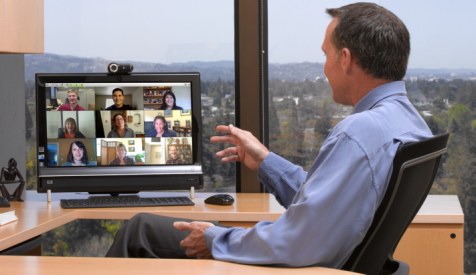
It’s just a bunch of people using the same software to tune in and listen to what you have to say.
The only real difference is that you’ll be using a pre-written script to deliver content to the audience.
It’s kind of like having a group coaching session. There’s no need to make it appear harder than it actually is.
So, drop the word webinar, and focus on what it is you’ll be doing — presenting valuable, relevant content to the webinar audience.
To start hosting a webinar you’ll need a couple of things:
- A working microphone
- A reliable internet connection
- Webinar software
- An audience
That’s all you have to worry about for now. Further down the line, you might be hosting more advanced webinars.
But, for now, this will suffice. If you have the technical requirements to run a video call, then you have everything you need to host a webinar.
Rehearse The Presentation

The worst thing you can do is show up to your own webinar completely unprepared.
There’ll be a lot of pauses, where you’ll have to stop to remind yourself what it is you should be talking about next.
And, your audience will be able to tell that you didn’t exactly plan the session out. Not to mention that they’ll be extremely annoyed with the constant “uhms”.
You’d rather want to avoid these awkward situations. And the best way to do it is by rehearsing the presentation.
In that regard, your first session doesn’t have to be in front of your audience.
You can practice hosting the webinar in front of your friends & colleagues first.
Then, depending on their feedback, you might adjust the presentation and, if necessary, work on improving your delivery.
Just remember, you don’t want to overdo it. If you rehearse the webinar too many times, to the point where you know every sentence by heart, you’ll sound robotic, monotonous, and as if you were reading off of a piece of paper.
Additionally, this will help you familiarize with the webinar software you opt for. And, you’ll also ensure that you’ve got the technical aspects taken care of.
A couple of things to pay attention to are:
- Did you start the presentation on time?
- Could attendees clearly hear you and see your screen?
- Were you able to receive questions live and answer them?
Once you double-check everything to ensure it’s working properly, it’s time to bolster your confidence.